Watch Integration
Your workout, on your wrist.
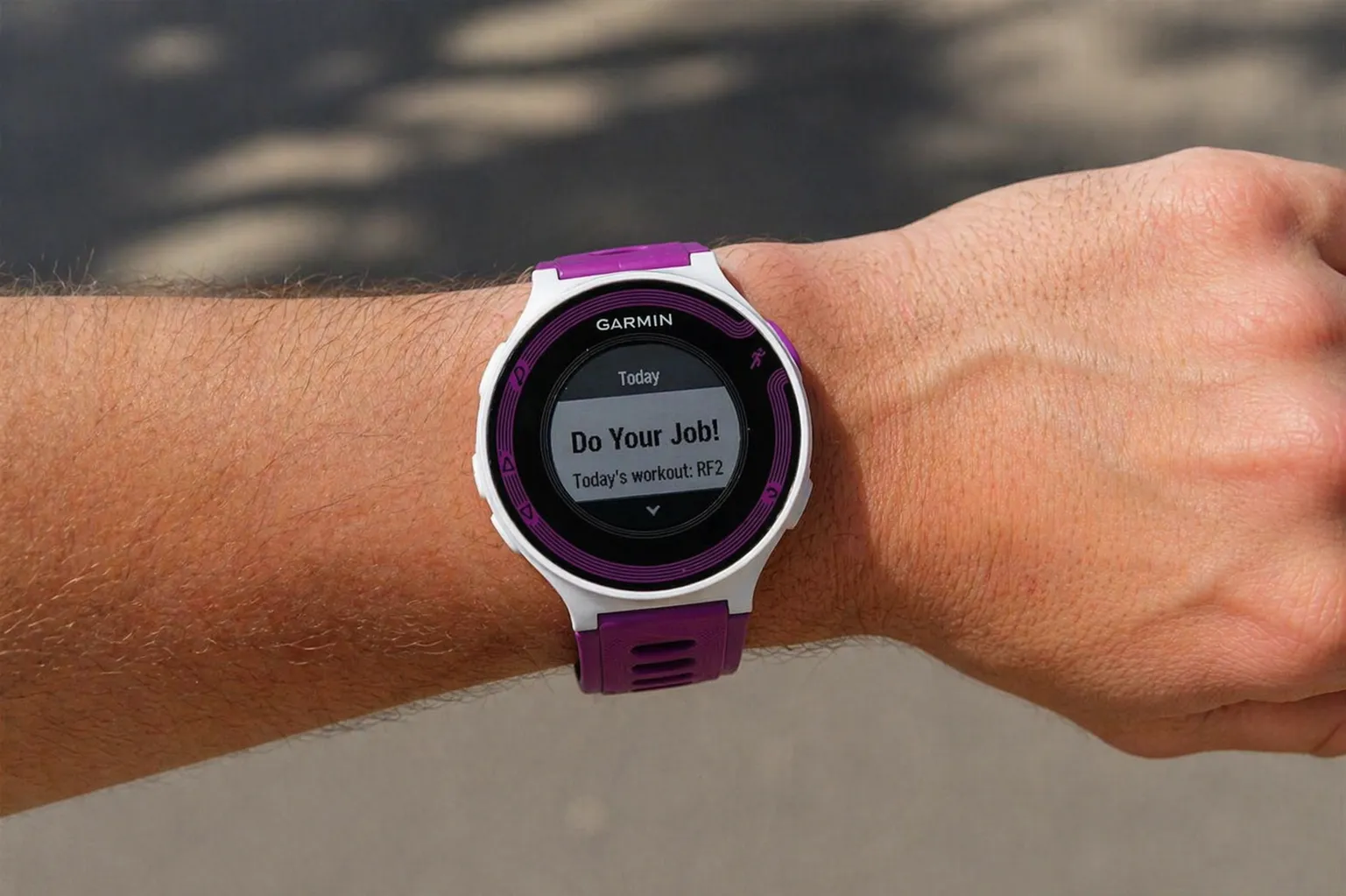
Smagpie pushes structured workouts directly to Garmin and Coros watches — step-by-step prompts, target zones, rest timers, and a speedometer-style compliance gauge in real time. When the workout ends, the completed data flows back automatically.
How it works
Four steps from calendar to wrist and back.
Assign the workout
Coach drops a structured workout on an athlete’s calendar — any discipline, any group, any day.
Syncs to the watch
Smagpie pushes the structured workout to the athlete’s paired Garmin or Coros device, scaled to their thresholds, ready when they are.
Real-time prompts on the wrist
Step titles, target zones, duration countdowns, rest timers, and a speedometer-style gauge through every interval — no phone, no paper.
Completion flows back
When the workout ends, the data returns to Smagpie automatically — actual pace, power, HR, and compliance against targets.
On the wrist
Speedometer-style compliance, every step
The gauge moves in real time as the athlete runs, rides, or swims. Green means on-target, yellow means drift, red means you’re out of zone. No glancing at a phone — the wrist tells the whole story.
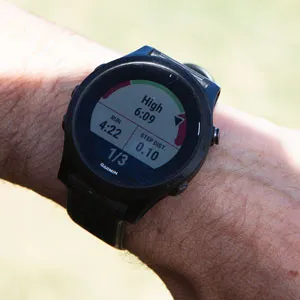
Active — gauge reads High: the athlete is over target and can ease up.
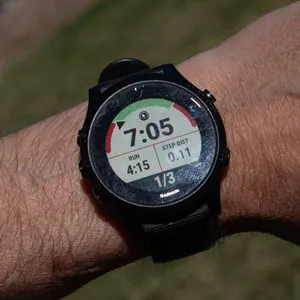
Active — gauge centered: dialed into the zone, keep going.
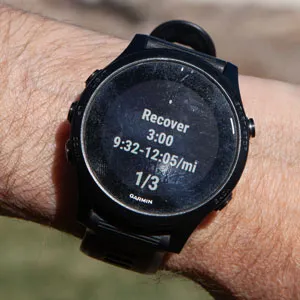
Recovery — target pace range visible, 3:00 until the next interval.
Watch Partners
Full two-way integration. Push workouts to the watch, pull completed activity data back — splits, pace, heart rate, compliance.

Garmin Connect
Push structured workouts directly to Garmin watches via Garmin Connect. Athletes see interval targets, pace zones, and heart rate zones on the wrist. Results sync back automatically — compliance, splits, and heart rate data.
We recommend the Forerunner line for most athletes — but any watch that works with Garmin Connect will work.

Coros Training Hub
Same deep integration as Garmin. Push structured workouts to Coros watches, pull completed activity data back. Athletes on Garmin and Coros get the same experience on the same team.
We recommend the Pace line as the Coros equivalent of the Forerunner — but any watch that works with Coros Training Hub will work.
Buying a new watch? Check for “Structured Workouts” support.
If you want to receive workouts on the watch, make sure the model supports Structured Workouts for the sports you train — running, cycling, swimming, or multisport. Not every Garmin or Coros model does, especially at the entry level. Confirm before you buy.
What about non-watch devices?
We support the Garmin Connect and Coros Training Hub platforms, so any data that flows to those platforms can reach Smagpie — bike computers, foot pods, chest straps. Most of our testing happens on watches, so we know those best.
The full data picture
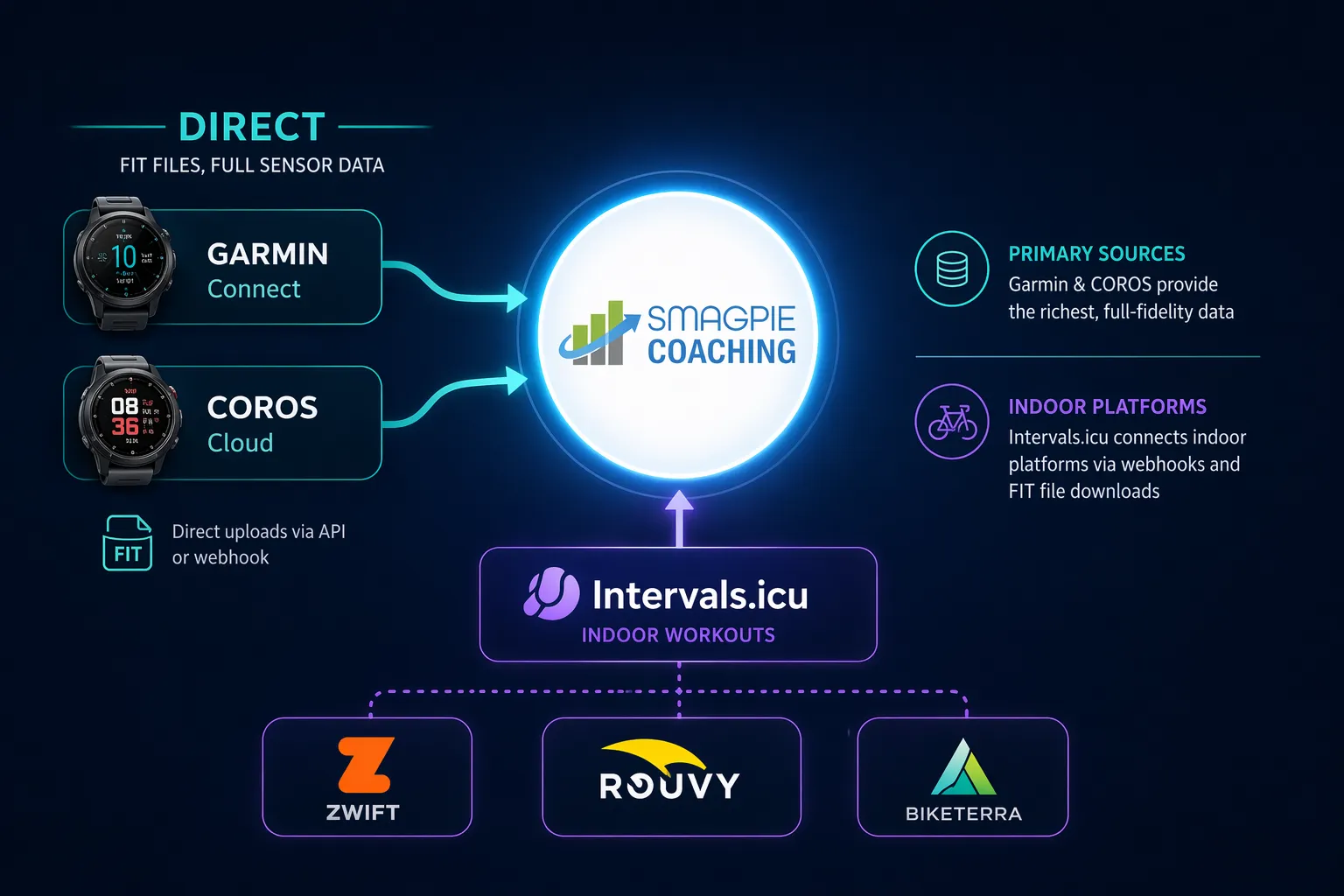
Direct partners, indoor via Intervals.icu
Garmin and Coros are our direct partners — full-fidelity FIT files and live sensor data flow straight in. For indoor training, Intervals.icu acts as the bridge to Zwift, Rouvy, and Biketerra via webhooks and FIT downloads.
Indoor Training via Intervals.icu
Smagpie connects to Intervals.icu, which opens the door to the major indoor training platforms.
Intervals.icu
Push and pull workouts between Smagpie and Intervals.icu. This is the bridge to indoor training — workouts you create in Smagpie flow through Intervals.icu to the indoor platforms, and activity data comes back.
Through Intervals.icu, your athletes can train on:
Zwift
Virtual cycling and running. Structured workouts from Smagpie sync through for indoor sessions.
Rouvy
Indoor cycling with real-world video routes. Workouts from Smagpie play on the trainer.
Biketerra
Indoor cycling platform with structured workout playback. Sessions flow in through Intervals.icu.
Team Devices
Lend a watch to the athlete without one
Not every athlete walks in with a Garmin. Coaches can assign a shared team device to an athlete for a session, a week, or a season. The watch receives their structured workout, captures their data, and the coach reclaims it when it’s time to pass it on.
One more door the platform opens — no athlete left to paper and guesswork.
Team Device Roster
Forerunner #1
Assigned · Sophie R.
Forerunner #2
Assigned · Marco D.
Coros Pace #1
Available
Compliance comes back automatically
Green, yellow, red — at a glance
When an athlete finishes the workout, completion data flows back to Smagpie without any manual upload. Targets hit vs. missed, actual vs. prescribed effort, completion percentage — all of it rolls up into the compliance view so coaches know who needs attention and who crushed it.
Every workout, every wrist.
Coaches always free. Connect your athletes’ Garmin or Coros devices in minutes and start pushing structured workouts today.