Workout Engine
Define once. Scale to everyone.
Coaches write workouts in relative effort — % FTP, % threshold pace, % HR. Smagpie converts those to watts, pace, and BPM for every athlete from their own benchmarks — and pushes the structured workout to their Garmin Forerunner or Coros Pace for real-time prompts.
Coach writes
Warmup · 05:00
50–70%
% FTP
Interval · 01:30 × 12
110–135%
% FTP
Ana sees (165 FTP)
Warmup · 05:00
82–115 W
Z1
Interval · 01:30 × 12
181–222 W
Z5
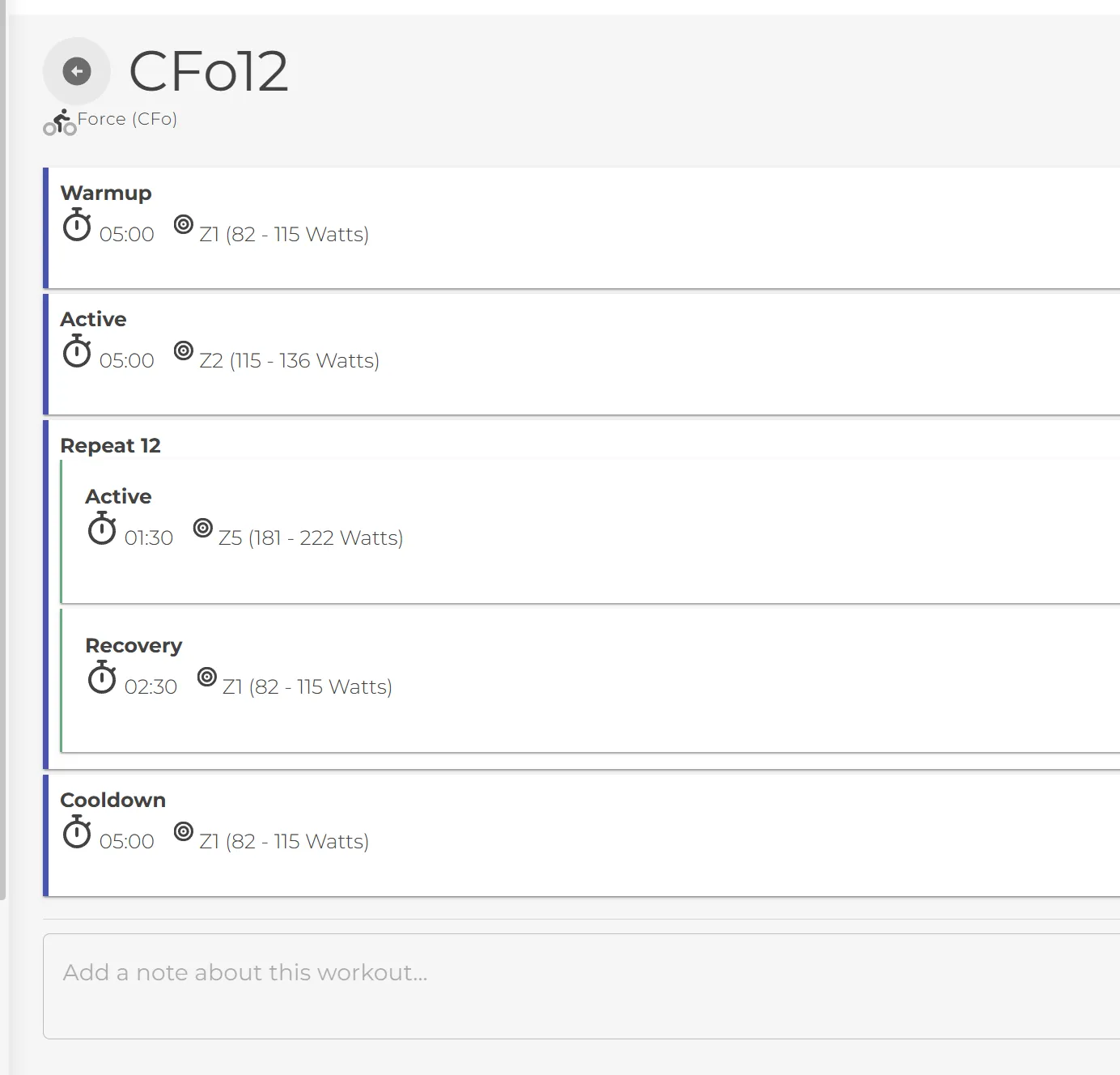
CFo12 — same workout, coach view vs. athlete view
Five steps, coach to watch
From “I need a CFo tomorrow” to every athlete’s watts on their wrist.
Write the workout once — in relative effort
Build multi-step workouts with warmup, active, repeat, recovery, and cooldown blocks. Express effort as % FTP, % threshold pace, or % threshold HR. Set a single target or a Low–High range. One workout template — no per-athlete math.
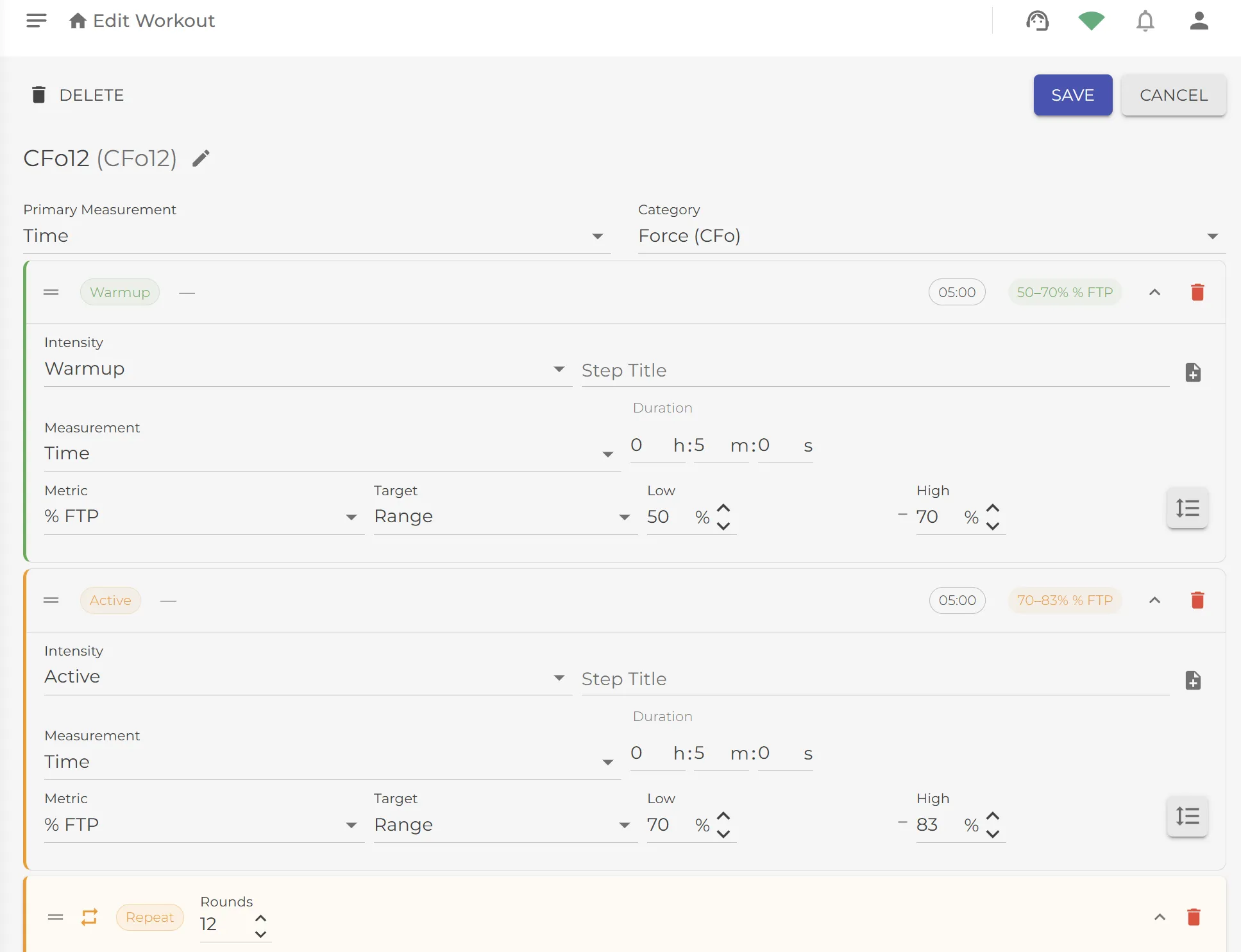
Browse, filter, share, or import
Every workout lands in your library, tagged by sport and category with a TLS (training load score) and EI (effort index) at a glance. Subscribe to a coach’s public library (80/20 Cycling, your own across teams, or any shared code). Or upload a .FIT file from another platform to import directly.
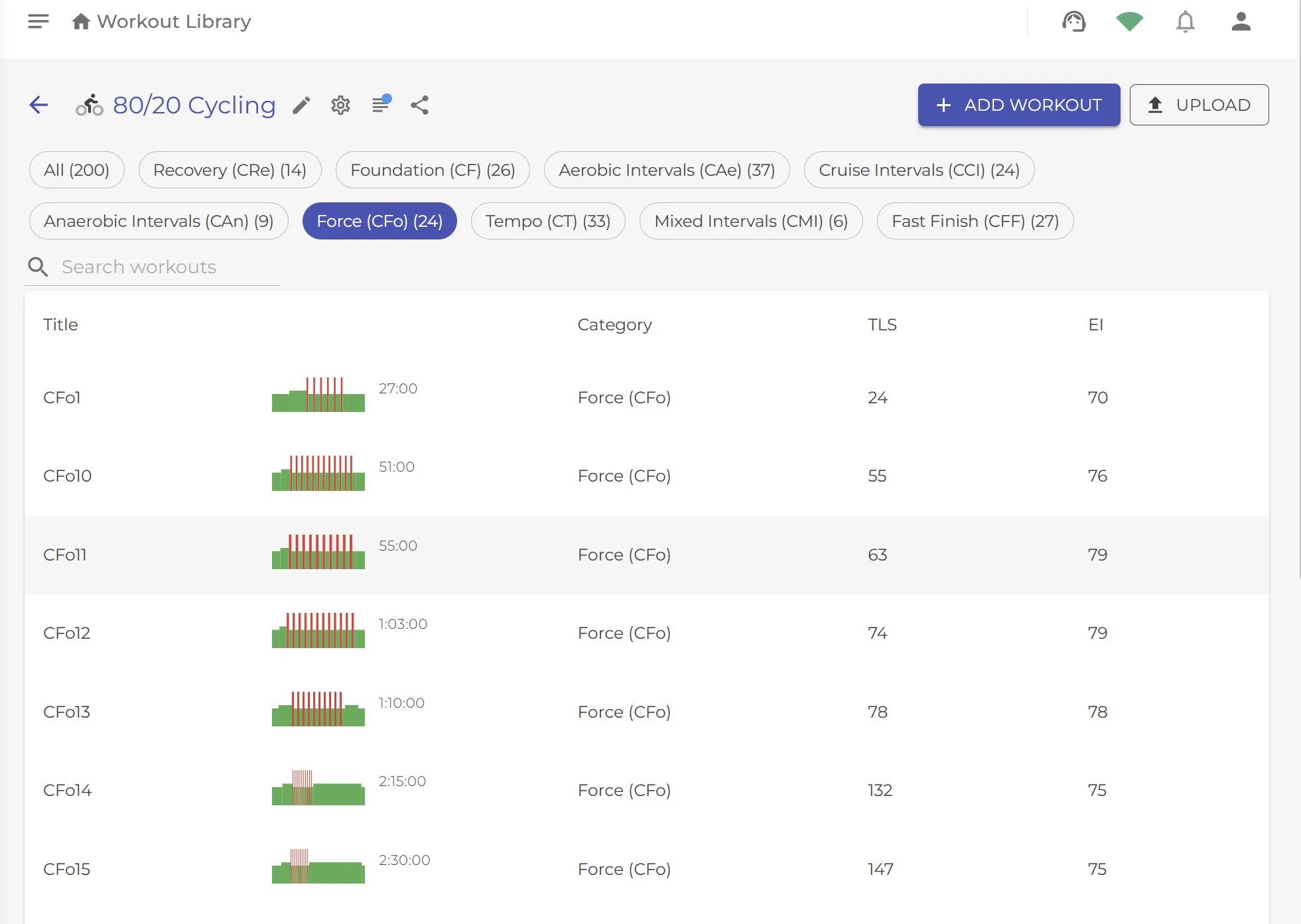
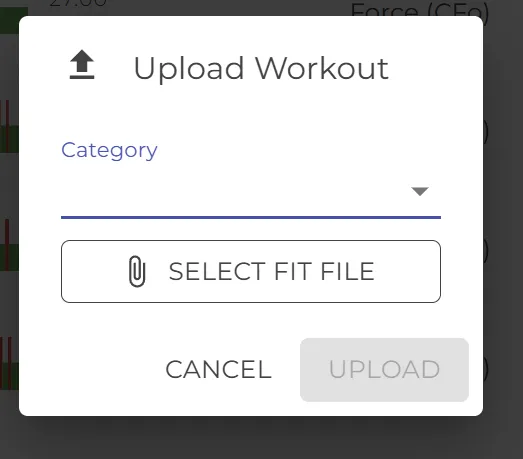
FIT upload — import a workout from another platform
Athletes set their own numbers
Threshold pace, threshold heart rate, FTP, resting HR — per sport, in the athlete’s own units. Don’t know your threshold? Use the built-in calculator: plug in a recent 5K time, get your running threshold pace. Coaches can seed values; athletes refine them as they train.
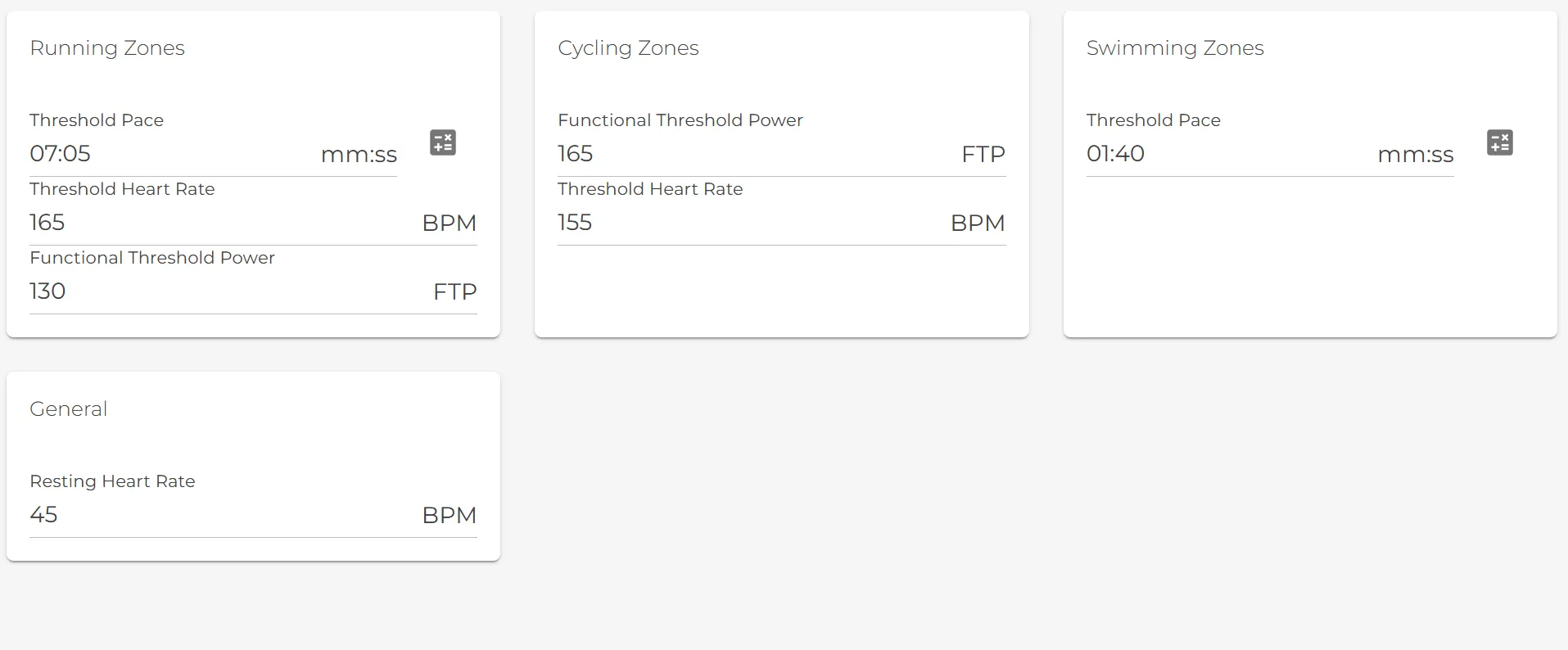
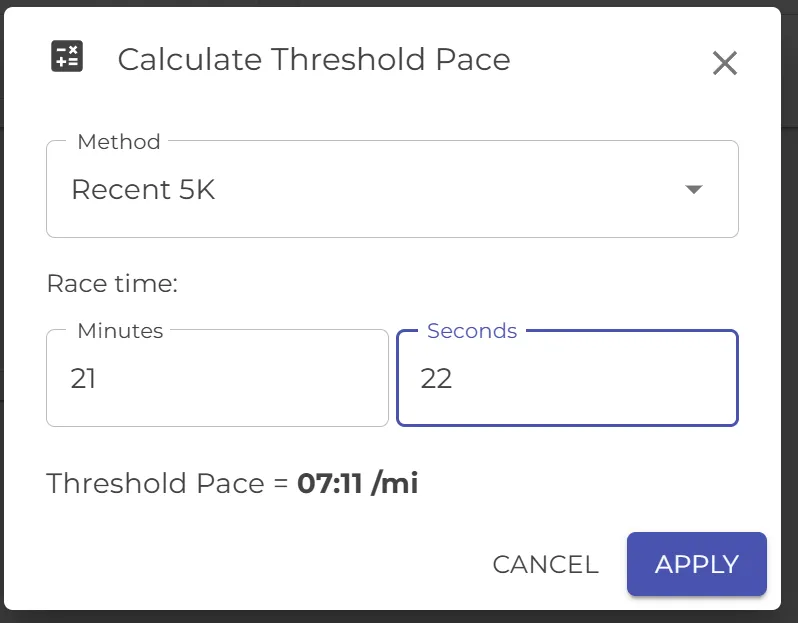
Threshold pace calculator — estimate from a recent 5K
Drop it on the calendar
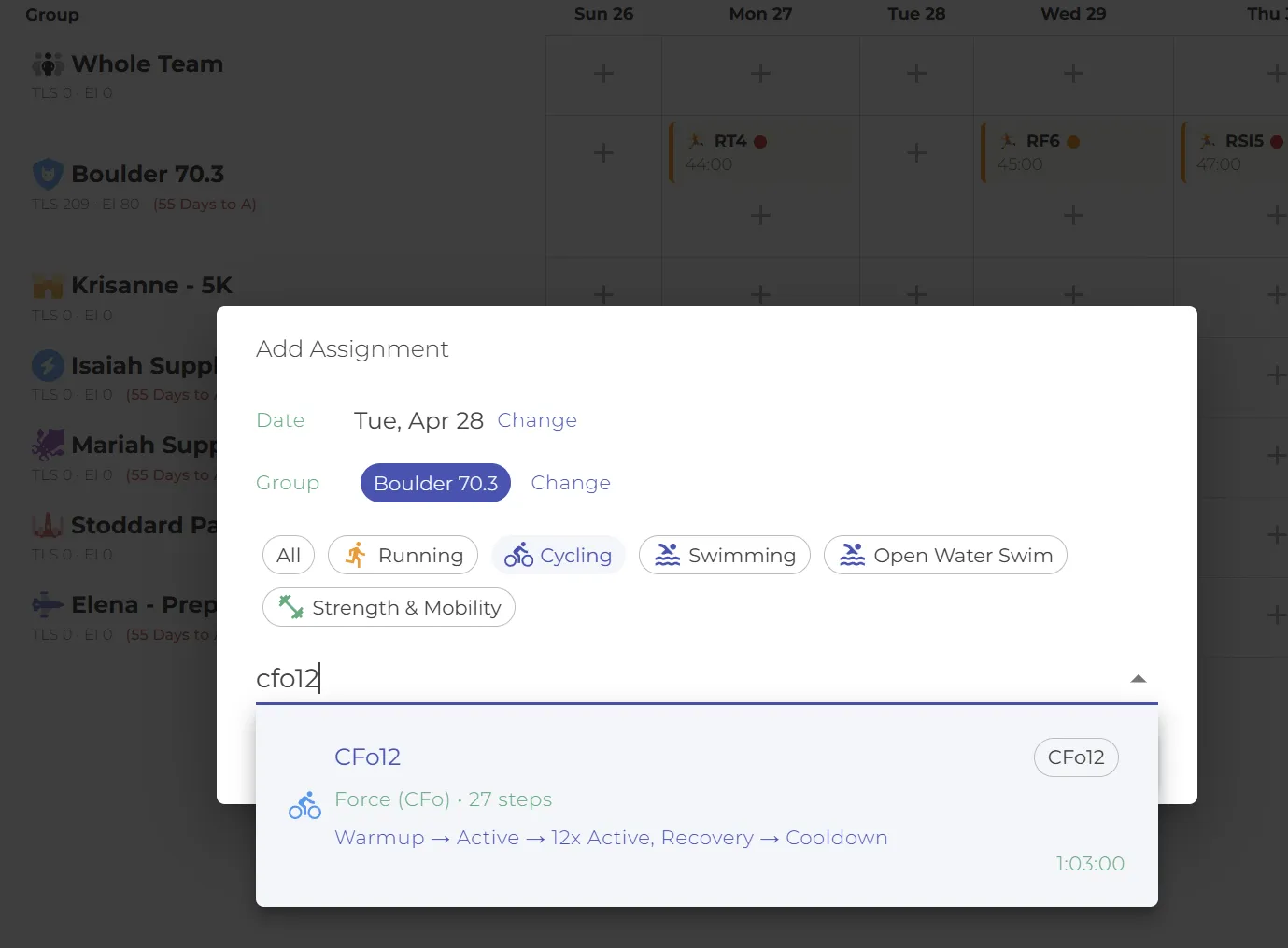
Pick a date, pick a group, filter by discipline, search by workout code or name. The dialog shows a step-by-step preview and total duration before you commit — so you never assign the wrong CFo by mistake.
Every athlete sees their own numbers
The same CFo12 workout that read 50–70% FTP for the coach now reads 82–115 W for the athlete with a 165 FTP — and 110–140 W for the teammate with a 200 FTP. Pace, power, and HR all computed per-athlete from their own thresholds. No spreadsheets, no math, no mistakes.
And onto the wrist
Structured workouts push directly to Garmin and Coros watches. Athletes get step-by-step prompts, target zones, and rest timers in real time — no paper, no screen-reading mid-interval. See watch integration →
Workout codes
Short codes so the calendar and phone stay readable
We use short workout codes — CFo, RHR, CT — so calendar cells and notifications stay compact across week views and small screens.
Athletes learn them fast. An RHR is a hill-repeat day. A CT is a cycling tempo. Three characters tell you the sport, the category, and how it should feel.
Common codes
Full taxonomy covers cycling, running, swimming, and more — numbers after the code (e.g. CFo12) identify the specific workout within the category.
Same engine, strength too
The % scaling works beyond endurance
The same “write once, scale per athlete” mechanic powers strength workouts. A coach writes 8 reps @ 75%, and each athlete sees their own prescribed weight calculated from their personal 1RM.
Explore the Exercise Library →Coach writes · Barbell Squat
3 sets × 8 reps
@ 75% of 1RM
Jake sees (1RM 120kg)
3 sets × 8 reps
@ 90 kg
Write it once. Scale it to everyone.
Coaches always free. No credit card. Build your first structured workout in under ten minutes — and watch it land scaled on every athlete’s watch.